Dear SVFF students,
If you originally created your SVFF account using Google Sign-In, please note that your account did not have a password set at the time of registration.
At the moment, the SVFF online app does not support Google Sign-In, so a password is required to log in on the app.
Because of this, you will need to reset your password once to create your first SVFF password.
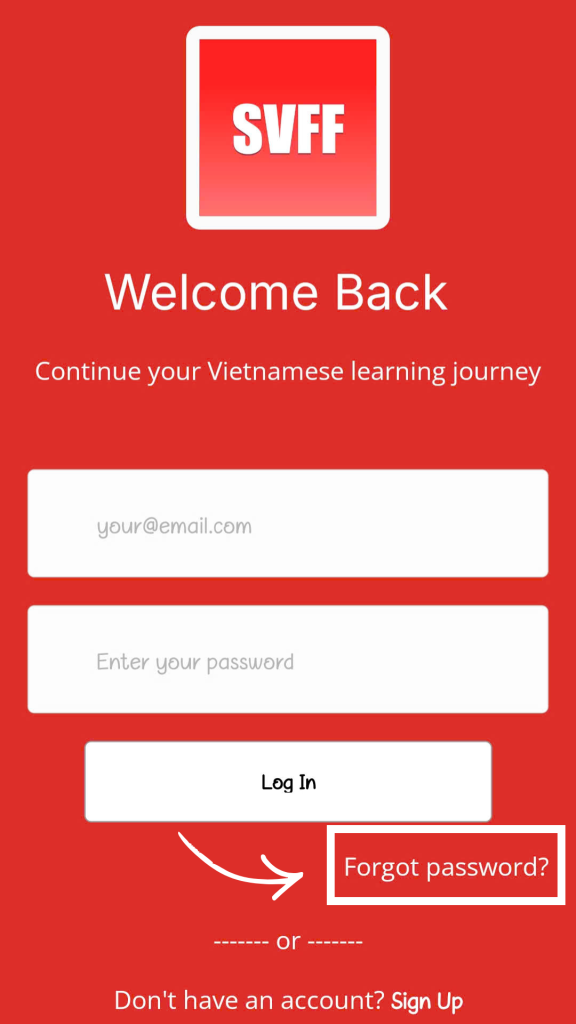
What you need to do:
- Request a password reset using your registered email address.
- Open the reset link in a web browser (Safari or Chrome is recommended).
- Set your new password.
- Return to the SVFF iPhone app and log in using your email and the new password.
If a previous reset link did not work, please don’t worry — we will resend a new password reset link for you.
If you experience any issues after resetting your password, feel free to contact us. Our team will assist you as soon as possible.
Thank you for your patience and for helping us improve your learning experience with SVFF.
Learn Vietnamese with SVFF

0 Comments
Log in to leave a comment.