Using VoiceThread for practicing speaking can be an excellent way to enhance your language skills, whether for academic, professional, or personal growth. Here’s a step-by-step guide on how to use VoiceThread effectively for speaking practice:
1. Create an Account and Log In
[url=https://flic.kr/p/2q1D6Xi]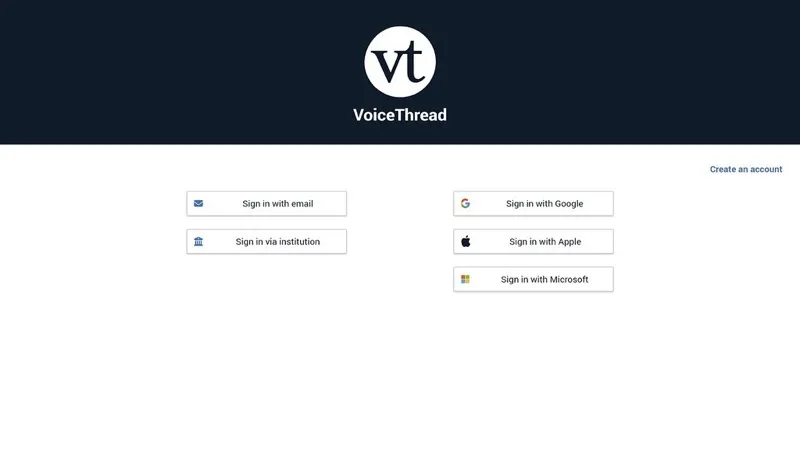
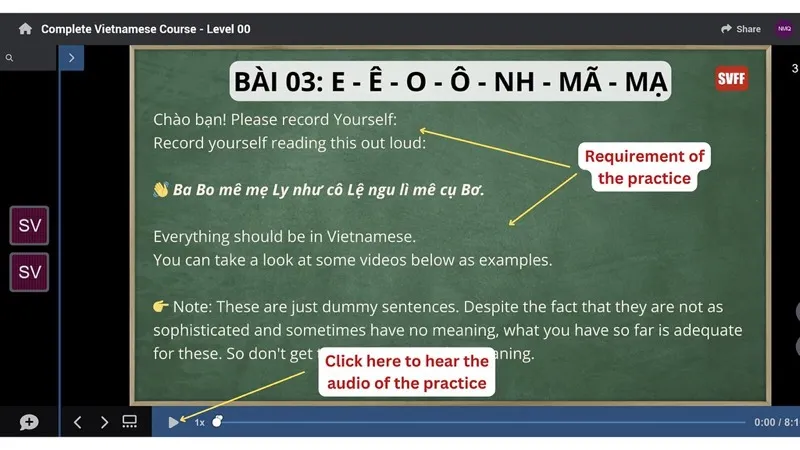
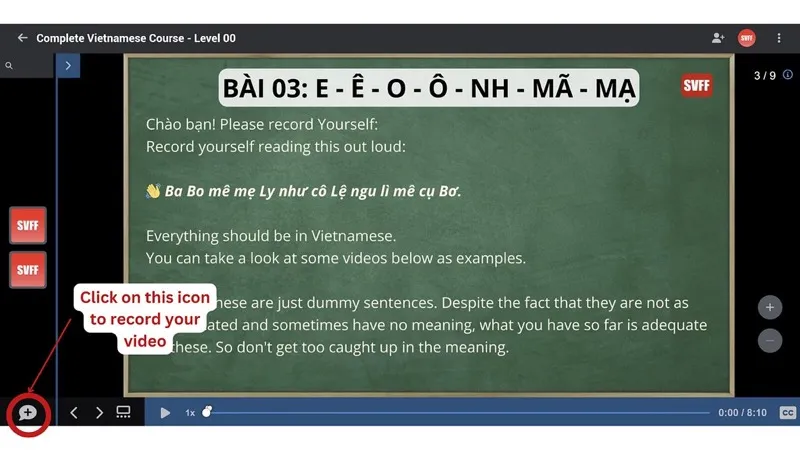
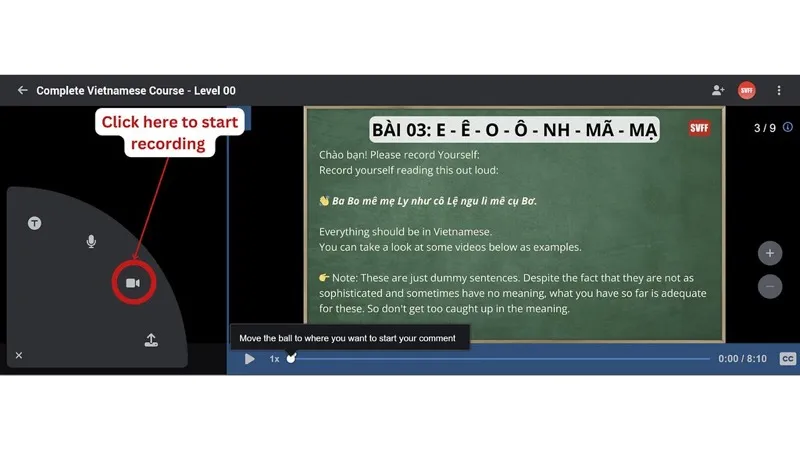
2. How to record yourself.
)
[url=https://flic.kr/p/2q1K2mZ]
 [url=https://flic.kr/p/2q1KuR4]
 [url=https://flic.kr/p/2q1D6WX]
 [url=https://flic.kr/p/2q1L2up]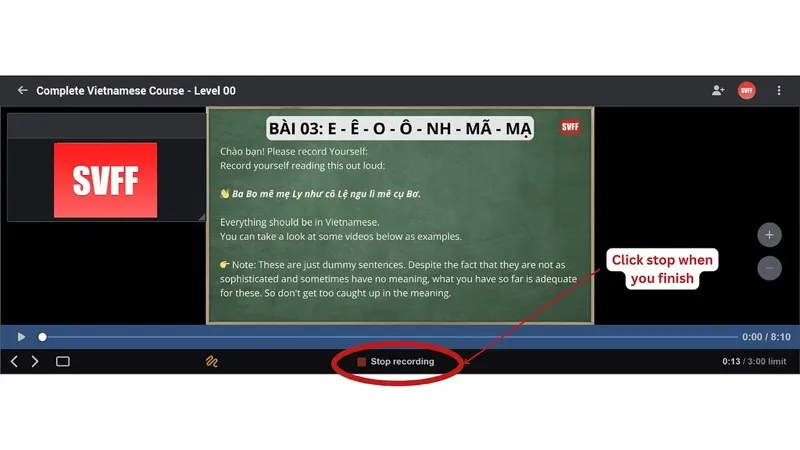
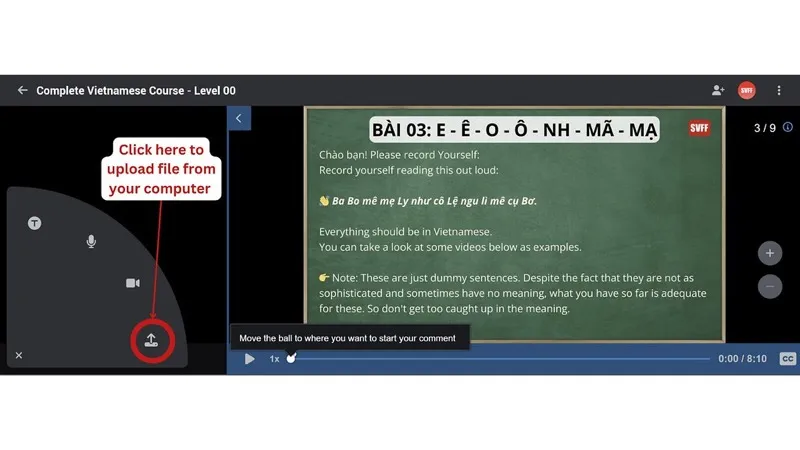
3. Upload Media
- You can upload your video file to voice thread in case your internet connection is not stable to record it online.
- Click on “Add Media” and choose your file. For instance, if you’re practicing a language, you might upload a picture that you will describe.
[url=https://flic.kr/p/2q1HMxw]
4. Review and Edit
- Play back your recordings to hear how you sound. This is crucial for self-assessment. Listen for clarity, pronunciation, and fluidity.
- You can delete and re-record any comment if you feel improvements are needed.
5. Support
If you have any problems during your time using voicethread, you can contact our staff immediately through email: svffvn@gmail.com to help you out.

0 Comments
Log in to leave a comment.