Payment Methods
We accept multiple payment options to make it easy for students worldwide.
Pay with Wise
Official Business Account — Best for International Students
Why Choose Wise?
Wise charges the lowest transfer fees of any international method — often under 1%.
You get the real exchange rate, not an inflated bank rate. No hidden markups.
Most transfers arrive within 1–2 business days. Often same day.
Important Instructions
Do NOT shorten to "CT", "TNHH", or any abbreviation. Abbreviated names may cause the transfer to be rejected.
Recipient Account Details
Payment Description Format
In the Reference / Memo field, use this format:
Example: SVFF John Smith Beginner Course
Step-by-Step Tutorial
Log in to your Wise account at wise.com or in the Wise app. Click the "Send money" button.
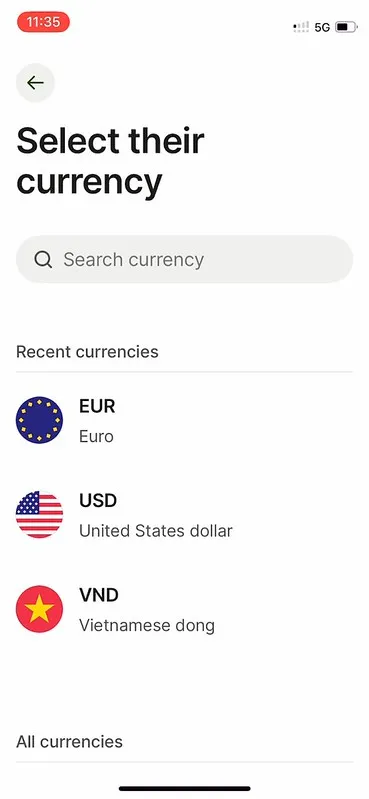
In the "They receive" dropdown, search for and select VND — Vietnamese Dong.
Type the exact VND amount in the bottom field ("Recipient gets"), not the top field. This ensures the correct amount arrives after fees.
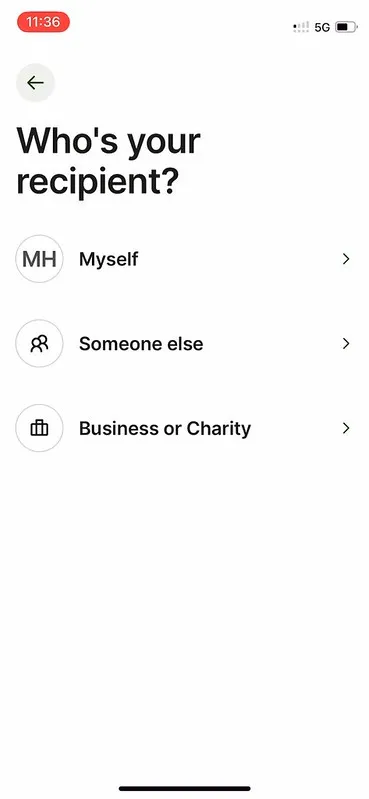
When asked who you're sending to, select "Business or Charity" — not Personal.
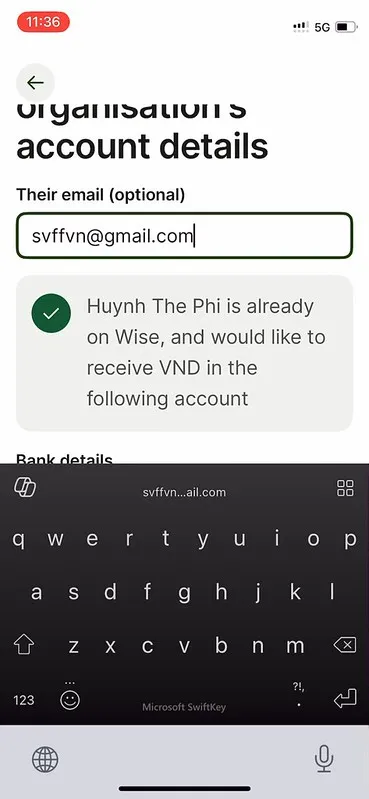
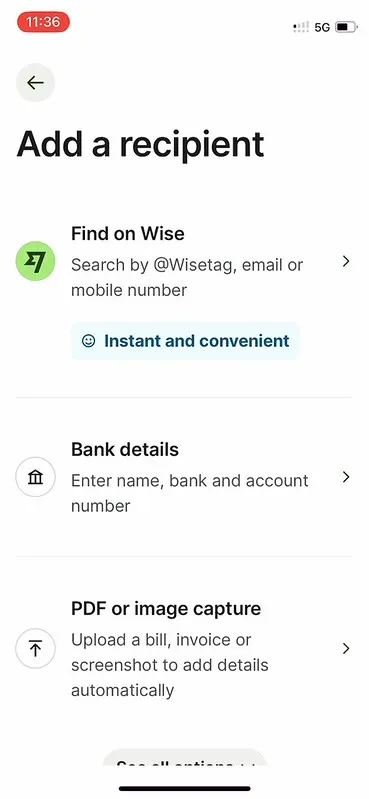
Choose to send to a bank account (not a Wise account or email address).
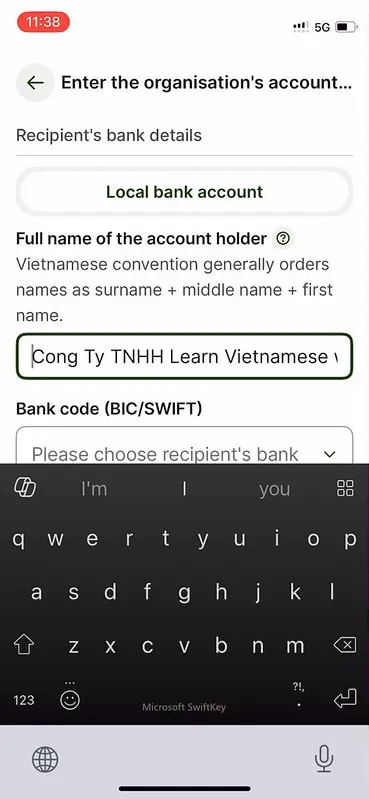
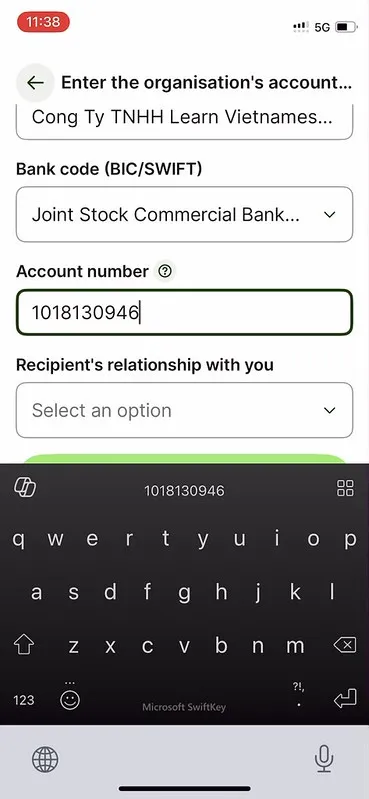
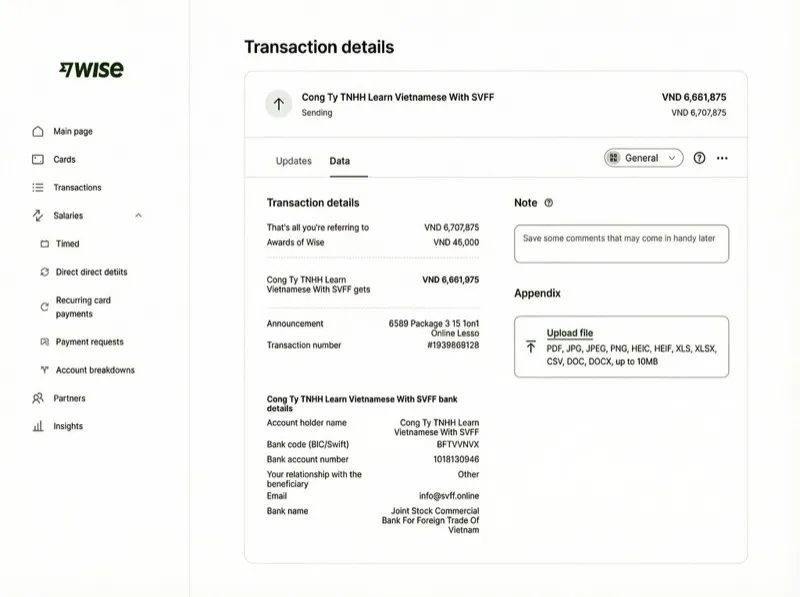
Type in the Vietcombank account number: 1018130946
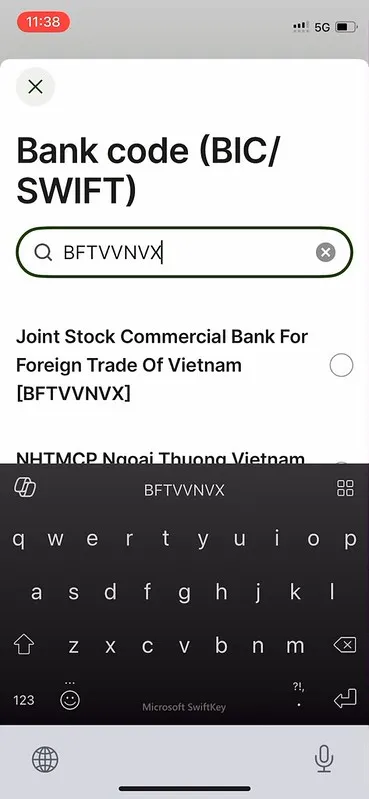
Vietcombank's SWIFT code is BFTVVNVX. Enter this in the SWIFT field.
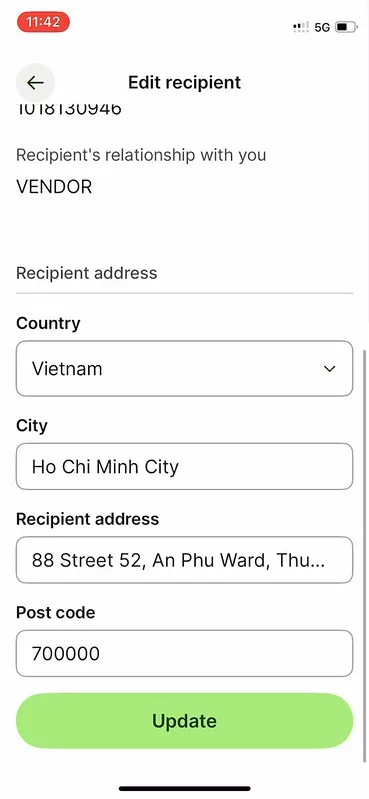
In the "Account holder name" field, type: CONG TY TNHH LEARN VIETNAMESE WITH SVFF. Do NOT abbreviate — this must match our bank records exactly.
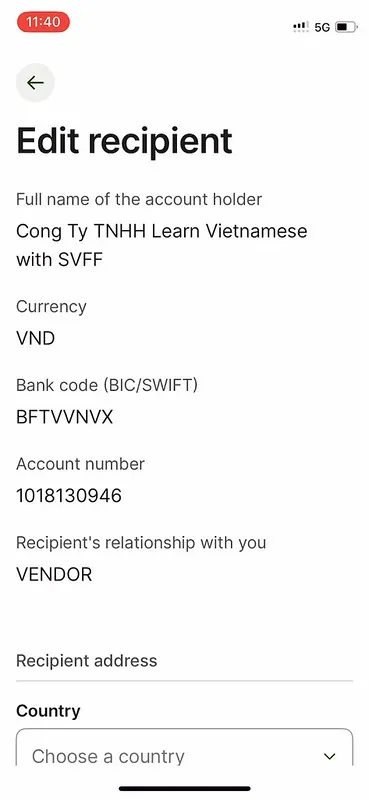
Address: 88 Street 52, Van Minh Residential Area, Binh Trung Ward
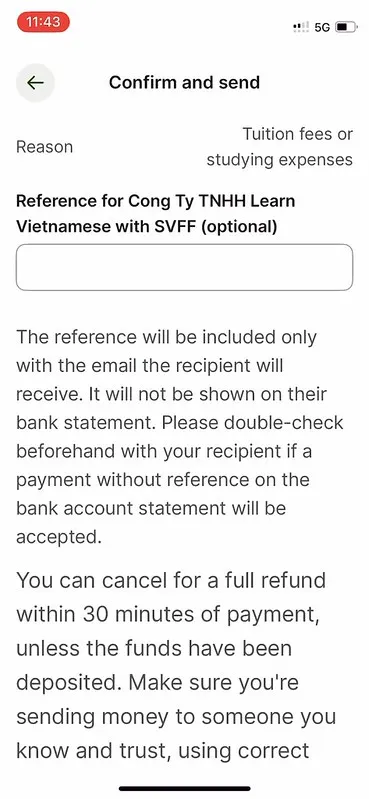
In the reference field, write: SVFF [Your Name] [Course] so we can identify your payment.
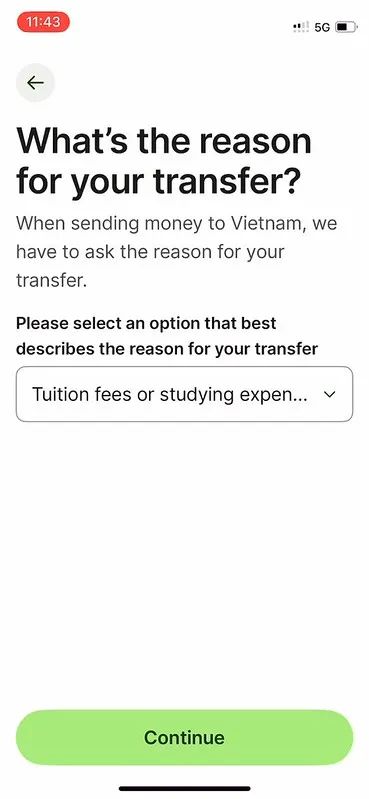
Double-check all details — especially the amount in the "Recipient Gets" field and the account name. Then confirm and submit.
Frequently Asked Questions
Pay with Card
Instant — Visa, Mastercard & American Express
Why Pay by Card?
Your lessons or subscription unlock the moment your payment goes through — no waiting for manual confirmation.
Payments are handled by Stripe, a global payments leader. SVFF never sees or stores your card number.
Pay with almost any Visa, Mastercard, or Amex from anywhere — no PayPal or bank account required.
How to Pay by Card
Open the Tuition page (or a subscription such as Shadowing, Grammar Essentials, or Podcast) and pick your plan.
On the checkout page, choose the Credit / Debit Card option. The total — including a small card fee — is shown before you confirm.
You’re taken to Stripe’s secure payment page to enter your Visa, Mastercard, or Amex. Your details stay encrypted end-to-end.
Your lessons or subscription activate immediately and a receipt is emailed to you. No manual confirmation needed.
Pick a plan, then choose Credit / Debit Card at checkout.
Card Payment FAQ
Pay with PayPal
Quick and easy international payments
Why Choose PayPal?
PayPal transfers between accounts are instant — we receive your payment immediately.
PayPal offers buyer protection for eligible transactions, giving you peace of mind.
Available in 200+ countries. If you already have a PayPal account, setup is simple.
Important Note
Our PayPal Link
Pay via PayPal.me/svffonlineClick the button above to go directly to our PayPal payment page.
Payment Note Format
In the note/memo field, write:
How to Pay via PayPal
Go to paypal.me/svffonline or click the button above. You'll be taken to our PayPal payment page.
Type the amount you were quoted. Make sure to select the correct currency (USD, EUR, GBP, or VND).
Sign in to your PayPal account. If you don't have one, you can pay with a credit or debit card as a guest.
When prompted to choose the payment type, select "Sending to a friend" to avoid extra Goods & Services fees.
In the note field, write: SVFF [Your Name] [Course]. Then review the details and click Send.
Frequently Asked Questions
Pay with MoMo
Vietnam's Leading E-Wallet — For Students in Vietnam
Why Choose MoMo?
MoMo transfers between accounts are instant — your payment arrives immediately.
MoMo charges no fees for personal transfers. 100% of what you send arrives.
Send at any time — no bank hours or business days. Always available.
Important Note
MoMo Account Details
Transfer Note Format
In the note/lời nhắn field, write:
Ví dụ: SVFF Nguyen Van An Beginner Course
How to Pay via MoMo
Launch MoMo on your phone and log in to your account.
On the home screen, tap the "Chuyển tiền" (Transfer) icon or option.
Type 0377679701 in the recipient field. The name Huynh The Phi will appear to confirm.
Type the VND amount you were quoted. In the note (lời nhắn) field, write your name and course name.
Review the details and confirm the transfer with your MoMo PIN or biometric authentication.
Frequently Asked Questions
Local Bank Transfer
Direct Transfer to Our Business Account
Why Choose Bank Transfer?
Money goes directly from your bank to ours. No third-party intermediaries involved.
Domestic VND transfers have zero fees at most Vietnamese banks. International SWIFT fees vary.
Transfer from any bank — local Vietnamese banks or international banks via SWIFT.
Important Instructions
Abbreviating to "CT TNHH..." or similar may cause the bank to reject the transfer.
Bank Account Details
Transfer Description Format
In the transfer description/remarks field, write:
How to Pay via Bank Transfer
Open your bank's website or mobile app and log in securely.
Navigate to the transfer or payment section of your banking app.
Fill in the account number (1018130946) and full name (CONG TY TNHH LEARN VIETNAMESE WITH SVFF). Select Vietcombank as the bank.
If you're transferring from an overseas bank, enter the SWIFT/BIC code BFTVVNVX and add your full name in the notes/remittance information.
Type the exact VND amount. In the description field: SVFF [Your Name] [Course].
Review all details carefully and confirm. After transfer, email your receipt to contact@svff.online.